cat posts/en/python-lernen-04-sammlungen.md
Learning Python (Part 4): Collections
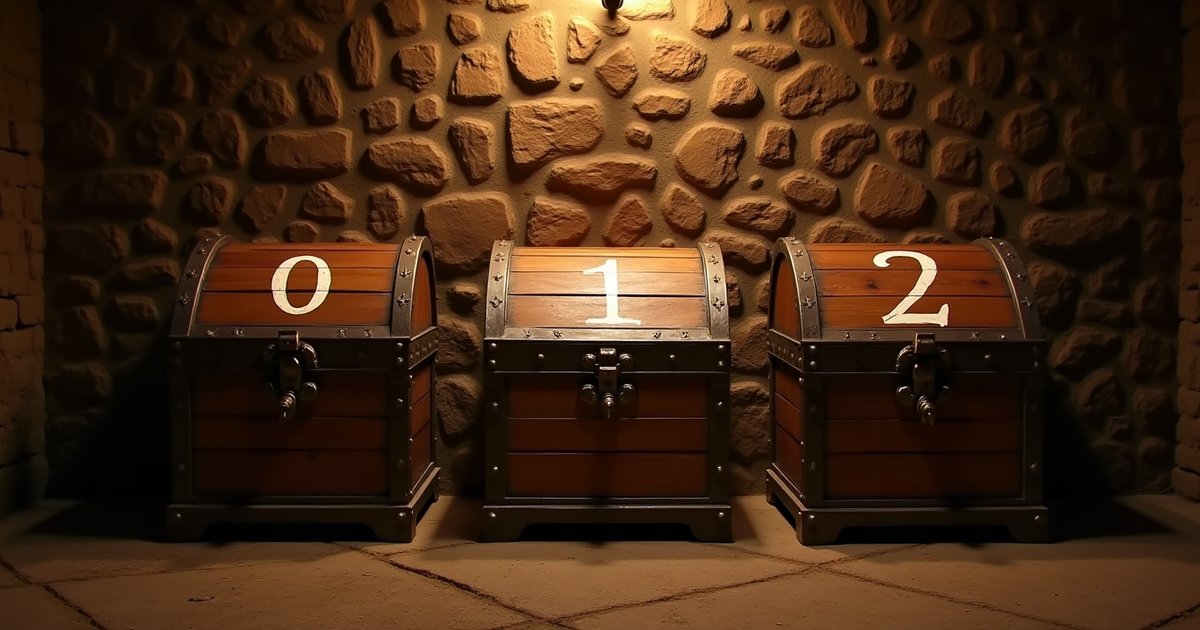
Lists, tuples, dictionaries, and sets: with them, we describe the dungeon world as data and give our adventurer a real inventory.
In part 3, we built a game
loop that responds to the player's commands. The possible paths and events were
packed directly into a long if-elif chain.
With two or three rooms, that still works. But once our dungeon has thirty rooms, the game loop quickly gets hard to follow.
That's why today's topic is collections. With them, we can store several values together and describe our dungeon's world as data.
Python comes with several kinds of collections for this:
- lists
- tuples
- dictionaries
- sets
They do different jobs. By the end of this part, we use them to model rooms, exits, items, and the player state cleanly.
Lists: ordered and changeable
A list stores several values in a specific order. Lists are written with square brackets:
inventar = ["torch", "bread", "rope"]
The individual values are called elements. A list can contain any number of elements, or it can be empty:
leeres_inventar = []
inventar is German for inventory, and leeres_inventar means empty inventory.
Accessing elements
Every element has a position, called its index. Counting starts at 0:
inventar = ["torch", "bread", "rope"]

print(inventar[0])
print(inventar[1])
print(inventar[2])
The output is:
torch
bread
rope
So the indexes of this list look like this:
| Index | Element |
|---|---|
0 |
"torch" |
1 |
"bread" |
2 |
"rope" |
Counting from 0 feels strange at first, but it's very common in programming.
With negative indexes, you can access elements from the end of the list:
print(inventar[-1])
The output is:
rope
-1 refers to the last element, -2 to the second to last, and so on.
Changing lists
Lists are changeable, or mutable. With append(...), you add a single
element at the end:
inventar = ["torch", "bread"]
inventar.append("key")

print(inventar)
The output is:
['torch', 'bread', 'key']
With remove(...), you remove the first element with a specific value:
inventar.remove("bread")

print(inventar)
After that, the list contains only:
['torch', 'key']
If you want to add several elements to a list, you can use extend(...):
inventar = ["torch"]
fund = ["key", "healing potion"]

inventar.extend(fund)

print(inventar)
The output is:
['torch', 'key', 'healing potion']
The difference from append(...) matters. This:
inventar.append(fund)
adds the complete list fund (German for a find, here the loot) as one single
element:
['torch', ['key', 'healing potion']]
We'd then have a list inside our list.
Finding the number of elements
With len(...), you get the length of a list:
inventar = ["torch", "bread", "rope"]

print(len(inventar))
The output is:
3
An empty list has a length of 0.
Checking whether an element is included
With in, you can check whether a specific value appears in a list:
inventar = ["torch", "bread", "rope"]

print("bread" in inventar)
print("key" in inventar)
The output is:
True
False
You can use the result directly in a condition:
if "key" in inventar:
    print("You can open the door.")
Looping over a list
With a for loop, you can process every element in turn:
inventar = ["torch", "bread", "rope"]

for gegenstand in inventar:
    print(f"- {gegenstand}")
The output is:
- torch
- bread
- rope
You don't need an index for this. On each pass, gegenstand (item) refers to
the next element of the list.
Tuples: ordered and unchangeable
A tuple is similar to a list: It's ordered and can contain several values. However, it's unchangeable, or immutable: After a tuple is created, its elements can't be replaced, added, or removed.
Tuples are usually written with parentheses:
position = (3, 7)
You access the elements by their index, as with a list:
print(position[0])
print(position[1])
The output is:
3
7
A position made of an x and a y coordinate is a typical use case: Both values belong together and are treated as a unit.
You can also split them directly into two variables:
position = (3, 7)
x, y = position

print(f"X: {x}, Y: {y}")
This is called unpacking.
Tuples can't be changed
The following attempt leads to a TypeError:
position = (3, 7)
position[0] = 9
Python doesn't let you assign a different value to an element of the tuple after the fact.
That's why tuples are a good fit for values that belong together and whose composition should stay the same after they're created.
A tuple with only one element
For a tuple with only one element, the comma is what counts:
ein_element = ("key",)
Without the comma, you just get a string in parentheses:
kein_tupel = ("key")

print(type(kein_tupel))
The output is:
<class 'str'>
So technically, it's the comma that creates the tuple, not the parentheses on
their own. The names ein_element and kein_tupel mean one element and not a
tuple.
Dictionaries: looking up values by key
A dictionary, or dict for short, maps keys to values.
With a list, you access an element by a numeric index. With a dictionary, you use a key:
raum = {
    "name": "Hall",
    "beschreibung": "A dark hall with a musty smell.",
    "besucht": False,
}
A dictionary is written with curly braces. Each entry consists of a key and its value:
"beschreibung": "A dark hall with a musty smell."
The colon separates the key from the value.
The variable raum is German for room. Its keys beschreibung and besucht
mean description and visited.
Dictionaries keep the order in which their entries were inserted. Unlike with a list, though, you don't access a value by that position, but by its key.
Accessing a value
You get the value for a specific key with square brackets:
print(raum["name"])
print(raum["beschreibung"])
The output is:
Hall
A dark hall with a musty smell.
Changing and adding values
Like lists, dictionaries are mutable. You can change an existing value:
raum["besucht"] = True
The same notation lets you add a new entry:
raum["licht"] = "dark"
If the key already exists, its value is replaced. If it doesn't exist yet, a new
entry is created. Here, the new key licht means light.
Checking whether a key exists
For a dictionary, the in operator checks its keys:
print("beschreibung" in raum)
print("monster" in raum)
The output is:
True
False
That comes in handy when an entry exists in only some dictionaries:
if "monster" in raum:
    print("Something is waiting for you here.")
Missing keys and .get(...)
If you use square brackets to access a key that doesn't exist, you get a
KeyError:
print(raum["monster"])
With .get(...), you get None for a missing key instead:
monster = raum.get("monster")

print(monster)
You can also specify a default value:
monster = raum.get("monster", "No monster")

print(monster)
The output is:
No monster
This is useful when a missing entry is a normal state and shouldn't count as an error.
Looping over dictionaries
By default, a for loop over a dictionary goes through its keys:
for schluessel in raum:
    print(schluessel)
With .values(), you get the values instead:
for wert in raum.values():
    print(wert)
And with .items(), you get the key and the value together on each pass:
for schluessel, wert in raum.items():
    print(f"{schluessel}: {wert}")
schluessel and wert are German for key and value. The unpacking works here
the same way as with the tuple: The key and the value are split directly into the
two variables.
Nested collections
The values of a dictionary can themselves be lists, tuples, sets, or other dictionaries:
raum = {
    "name": "Hall",
    "ausgaenge": {
        "north": "bibliothek",
        "east": "krypta",
    },
    "gegenstaende": ["torch", "bread"],
}
Here, raum["ausgaenge"] returns another dictionary:
print(raum["ausgaenge"])
To get the destination of the northern exit, we combine two lookups:
print(raum["ausgaenge"]["north"])
The output is:
bibliothek
The keys ausgaenge and gegenstaende mean exits and items. The values
bibliothek and krypta are room IDs: library and crypt.
We'll use exactly this kind of nested structure in a moment to describe the entire dungeon world.
Sets: unordered and without duplicates
A set is an unordered collection in which each value appears at most once:
besuchte_raeume = {"halle", "bibliothek", "halle"}

print(besuchte_raeume)
Even though "halle" (hall) was given twice, the value appears only once in the
set. One possible output is:
{'halle', 'bibliothek'}
The order might look different, too. Sets have no guaranteed position for their
elements, and so there's no access by index either. besuchte_raeume is German
for visited rooms.
Adding values
With .add(...), you add a value to a set:
besuchte_raeume.add("krypta")
If you add the same value again, the set stays unchanged:
besuchte_raeume.add("krypta")
"krypta" is still contained only once.
Checking membership
With sets, you also use in:
if "krypta" in besuchte_raeume:
    print("You've already been to the crypt.")
Sets are particularly well suited to cases where what you mainly care about is whether a value is already present, for example:
- visited rooms
- unlocked abilities
- known spells
- unique IDs
Creating an empty set
You create an empty set with set():
besuchte_raeume = set()
Empty curly braces, on the other hand, create a dictionary:
leere_sammlung = {}

print(type(leere_sammlung))
The output is:
<class 'dict'>
leere_sammlung is German for empty collection. This is easy to mix up,
because non-empty sets are also written with curly
braces.
Which collection fits which job?
| Collection | Order | Mutable | Duplicates | Access |
|---|---|---|---|---|
| List | fixed order | yes | yes | by index |
| Tuple | fixed order | no | yes | by index |
| Dictionary | insertion order | yes | keys unique | by key |
| Set | no guaranteed order | yes | no | by membership |
For our dungeon, we use:
- a dictionary for the player state
- a list for the inventory
- a dictionary for the rooms
- a dictionary for each room's exits
- a list for the items in a room
- a set for rooms already visited
Each part of our state now gets the collection that suits its job.
The dungeon world as data
So far, the world was built directly into the program logic:
if befehl == "north":
    print("You're standing in front of a locked door.")
elif befehl == "east":
    print("A goblin is waiting in the east.")
As a result, every new room and every new exit required additional conditions.
Instead, we now describe the world in one big dictionary:
raeume = {
    "halle": {
        "name": "Hall",
        "beschreibung": "You're standing in a dark hall with a musty smell.",
        "ausgaenge": {
            "north": "bibliothek",
            "east": "krypta",
        },
        "gegenstaende": ["torch"],
    },
    "bibliothek": {
        "name": "Library",
        "beschreibung": "Dusty shelves full of tattered books surround you.",
        "ausgaenge": {
            "south": "halle",
        },
        "gegenstaende": ["key"],
    },
    "krypta": {
        "name": "Crypt",
        "beschreibung": "Moisture glistens on the walls of the old crypt.",
        "ausgaenge": {
            "west": "halle",
        },
        "gegenstaende": [],
    },
}
The keys "halle", "bibliothek", and "krypta" are the rooms' internal
IDs. raeume is German for rooms. Each room is itself a dictionary with four
entries:
namebeschreibungausgaengegegenstaende
The exits map a direction to the ID of the destination room:
"ausgaenge": {
    "north": "bibliothek",
    "east": "krypta",
}
So the hall's northern exit leads to the room with the ID "bibliothek", and
the eastern one to "krypta".
This means we no longer have to write a separate elif block for every possible
direction.
Grouping the player state
The player state now also consists of several values that belong together:
name = "Karl"
hp = 100
max_hp = 100
gold = 50
inventar = []
We can group these values in a dictionary as well:
spieler = {
    "name": "Karl",
    "hp": 100,
    "max_hp": 100,
    "gold": 50,
    "inventar": [],
}
Access now goes through the respective keys:
print(spieler["name"])
print(spieler["hp"])
print(spieler["inventar"])
spieler is German for player. This way, the code also makes it immediately
clear which values belong to the player state.
The dungeon, step 4
Open dungeon.py and replace the previous content with the following code:
# Dungeon—Part 4: Collections and the world as data
raeume = {
    "halle": {
        "name": "Hall",
        "beschreibung": "You're standing in a dark hall with a musty smell.",
        "ausgaenge": {
            "north": "bibliothek",
            "east": "krypta",
        },
        "gegenstaende": ["torch"],
    },
    "bibliothek": {
        "name": "Library",
        "beschreibung": "Dusty shelves full of tattered books surround you.",
        "ausgaenge": {
            "south": "halle",
        },
        "gegenstaende": ["key"],
    },
    "krypta": {
        "name": "Crypt",
        "beschreibung": "Moisture glistens on the walls of the old crypt.",
        "ausgaenge": {
            "west": "halle",
        },
        "gegenstaende": [],
    },
}

print("You stand before the rusty gate of a forgotten dungeon.")
print("A cold draft blows toward you.")

spieler = {
    "name": input("What's your name, adventurer? ").strip(),
    "hp": 100,
    "max_hp": 100,
    "gold": int(input("How many gold coins are you bringing? ")),
    "inventar": [],
}

ort = "halle"
besuchte_raeume = set()
raum_anzeigen = True

print()
print(f"Welcome, {spieler['name']}!")
print("Commands: look, take, inventory, status, quit")

while True:
    raum = raeume[ort]

    if raum_anzeigen:
        besuchte_raeume.add(ort)

        print()
        print(raum["beschreibung"])
        print("Exits:", ", ".join(raum["ausgaenge"]))

        raum_anzeigen = False

    befehl = input("\n> ").strip().lower()

    if befehl == "quit":
        print("You leave the dungeon. Until next time.")
        break

    elif befehl == "look":
        if raum["gegenstaende"]:
            print("Lying here:", ", ".join(raum["gegenstaende"]))
        else:
            print("There's nothing useful here.")

    elif befehl == "take":
        if raum["gegenstaende"]:
            gefundene_gegenstaende = ", ".join(raum["gegenstaende"])

            spieler["inventar"].extend(raum["gegenstaende"])
            raum["gegenstaende"].clear()

            print(f"You take: {gefundene_gegenstaende}")
        else:
            print("There's nothing to take here.")

    elif befehl == "inventory":
        if spieler["inventar"]:
            print("Inventory:", ", ".join(spieler["inventar"]))
        else:
            print("Your inventory is empty.")

    elif befehl == "status":
        print(
            f"{spieler['name']} | "
            f"HP: {spieler['hp']}/{spieler['max_hp']} | "
            f"Gold: {spieler['gold']}"
        )
        print(f"Rooms visited: {len(besuchte_raeume)}")
        print(f"Items: {len(spieler['inventar'])}")

    elif befehl in raum["ausgaenge"]:
        ort = raum["ausgaenge"][befehl]
        raum_anzeigen = True

    else:
        print("You can't do that here.")
        print("Possible exits:", ", ".join(raum["ausgaenge"]))
        print("Other commands: look, take, inventory, status, quit")
Run the program:
python dungeon.py
One possible run looks like this:
You stand before the rusty gate of a forgotten dungeon.
A cold draft blows toward you.
What's your name, adventurer? Karl
How many gold coins are you bringing? 50

Welcome, Karl!
Commands: look, take, inventory, status, quit

You're standing in a dark hall with a musty smell.
Exits: north, east

> look
Lying here: torch

> take
You take: torch

> north

Dusty shelves full of tattered books surround you.
Exits: south

> take
You take: key

> inventory
Inventory: torch, key

> status
Karl | HP: 100/100 | Gold: 50
Rooms visited: 2
Items: 2

> quit
You leave the dungeon. Until next time.
What happens in the new game loop
The player state now lives in a dictionary:
spieler = {
    "name": input("What's your name, adventurer? ").strip(),
    "hp": 100,
    "max_hp": 100,
    "gold": int(input("How many gold coins are you bringing? ")),
    "inventar": [],
}
The inventory is a list inside this dictionary:
spieler["inventar"]
So we're already combining two collections: A dictionary groups the player state, while a list stores the player's items.
The current room is still stored in the variable ort (German for location):
ort = "halle"
With this value, we get the current room's dictionary from our world:
raum = raeume[ort]
If ort contains the string "halle", that's the same as this lookup:
raum = raeume["halle"]
raum then refers to the hall's dictionary. When we change its contents, we
also change the corresponding room inside raeume.
Storing rooms already visited
The set besuchte_raeume starts out empty:
besuchte_raeume = set()
As soon as a room is displayed, we add its ID:
besuchte_raeume.add(ort)
If the player enters the same room again later, its ID still appears only once
in the set. So with len(...), we get the number of different rooms visited so
far.
Showing the room only after moving
The Boolean variable raum_anzeigen (show room) determines whether the current
room's description should be printed:
raum_anzeigen = True
After printing it, we set the variable to False:
raum_anzeigen = False
That way, the room description doesn't appear again after every single command.
When the player moves to another room, we set the variable back to True:
ort = raum["ausgaenge"][befehl]
raum_anzeigen = True
On the next pass of the game loop, the new room's dictionary is loaded and its description is printed.
Recognizing valid directions
This expression checks whether the command entered matches a key in the exits dictionary:
elif befehl in raum["ausgaenge"]:
When the player is in the hall, this dictionary contains the following entries:
{
    "north": "bibliothek",
    "east": "krypta",
}
So the commands "north" and "east" are valid there.
We get the destination of the chosen direction directly from the key:
ort = raum["ausgaenge"][befehl]
If the player types "north", that's the same as:
ort = raum["ausgaenge"]["north"]
The new value of ort is then "bibliothek".
This way, moving through the dungeon no longer needs a separate condition for each individual direction. The same line works for all exits defined in the current room.
Picking up items
The items in the current room are in a list:
raum["gegenstaende"]
With extend(...), we move all elements of this list into the inventory:
spieler["inventar"].extend(raum["gegenstaende"])
Then we empty the list in the room:
raum["gegenstaende"].clear()
The items are now in the inventory and no longer in the room. So the player can't pick them up a second time.
By the way, our take command currently picks up all of a room's items at once.
We'll add a way to choose individual items later.
Printing lists as a string
The join(...) method joins several strings into one string:
", ".join(spieler["inventar"])
This turns
["torch", "key"]
into:
torch, key
The string before .join(...) determines what's placed between the individual
elements. Here, that's a comma followed by a space.
join(...) expects the elements being joined to be strings. So a list of
numbers doesn't work directly:
", ".join([1, 2, 3])
That would lead to a TypeError.
Separating data and logic
The most important step in this part is less a single method than the new structure of our program.
The rooms are described as data:
raeume = {
    ...
}
The game loop, on the other hand, contains the logic that works with this data:
while True:
    ...
If you want to add another room, you no longer have to build new conditions into
the game loop for each of its directions. You add the room to the raeume
dictionary and connect it to the existing world through its exits.
That doesn't make our dungeon a finished game engine by a long shot. But the world and the program logic are now far less tightly wired together. That makes the next extensions a lot more pleasant.
Pitfalls
-
Forgetting that indexes start at
0: A list with three elements has the indexes0,1, and2. Accessinginventar[3]leads to anIndexError. -
Removing a value with
remove(...)that doesn't exist: Ifremove(...)can't find the given value in the list, you get aValueError. -
Using a missing dictionary key: An access like
raum["monster"]leads to aKeyErrorif the key doesn't exist. Withraum.get("monster"), you getNoneinstead. -
Mixing up lists and dictionaries: You access lists with numeric indexes, and dictionaries with their keys.
python
  inventar[0]
  raum["beschreibung"]
-
Mixing up
append(...)andextend(...):append(...)adds a value as a new element.extend(...)adds several elements to the existing list. -
Creating an empty set with
{}:{}creates an empty dictionary. For an empty set, you needset(). -
Assuming a fixed set order: Sets don't have an order your program logic can rely on. Use a list or a tuple if the position of the elements matters.
-
Confusing dictionary order with sorting: Dictionaries keep their insertion order, but they don't sort their keys automatically.
-
Joining numbers directly with
join(...):join(...)expects strings. So", ".join([1, 2, 3])leads to aTypeError. -
Expecting special characters in commands to match: A command has to match the dictionary key character for character. That's why the commands in the code stick to plain letters like
"south", so that nobody has to type special characters.
Exercises
1. Add a treasure chamber
Add a fourth room called "schatzkammer" (treasure chamber) to the dungeon. It
should be reachable to the north from the library and contain a
"pile of gold".
Solution
Add the following entry to the `raeume` dictionary:"schatzkammer": {
"name": "Treasure chamber",
"beschreibung": "Gold and gems glitter in the light of your torch.",
"ausgaenge": {
"south": "bibliothek",
},
"gegenstaende": ["pile of gold"],
},
"ausgaenge": {
    "south": "halle",
    "north": "schatzkammer",
},
2. Add a starting item
Give the player a piece of bread at the start. So the inventory should no longer start out empty.
Solution
Change the `inventar` entry in the player state:spieler = {
"name": input("What's your name, adventurer? ").strip(),
"hp": 100,
"max_hp": 100,
"gold": int(input("How many gold coins are you bringing? ")),
"inventar": ["bread"],
}
3. Print all of a room's exits
Write a for loop that prints all of the hall's directions and destination
rooms.
The output should look something like this:
north -> bibliothek
east -> krypta
Solution
halle = raeume["halle"]

for richtung, ziel in halle["ausgaenge"].items():
    print(f"{richtung} -> {ziel}")
Next up
The world is now described as data. With all its commands, though, the game loop is still fairly long.
That's why, in part 5, you learn about functions. With them, we break the logic into named, reusable blocks and make the game loop easier to follow again.
Keyboard shortcuts
- j k
- scroll down / up
- n p
- next / previous section
- g G
- start / end of the article
- t
- show outline
- ?
- show this help
- Esc
- close
0 comments
No comments yet. Be the first!
Sign in to leave a comment.